Do Professional Video Editing Within 24 Hours for YouTube, Reels, Ads and Podcasts
✓ Compare prices, samples and reviews ✓ Free to browse ✓ Pay only when you order
What it usually costs
| Job | Typical size | Typical price* |
|---|---|---|
| YouTube talking-head video | 8–15 min | Budget to mid |
| Reels / TikTok / Shorts pack | 3–5 clips | Budget |
| Podcast episode (video) | 30–60 min | Mid |
| Ad or promo video | 15–60 sec | Mid to premium |
| Wedding or event highlight | 3–8 min | Mid to premium |
*Ranges come from live listings we check each month. Prices change; always confirm before you order.
Top picks right now
Fast-turnaround editing
- Clean cuts, colour grading and motion text
- Packages built around 24-hour delivery
- Good for talking-head and business videos
YouTube growth editing
- Retention-style pacing for YouTube
- Captions, zooms, b-roll and sound design
- Ideal for creators posting weekly
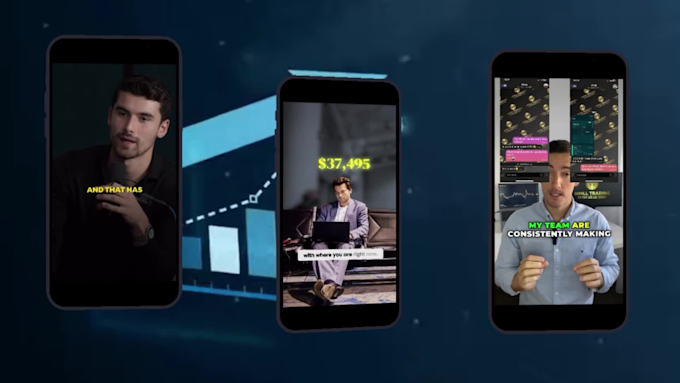
Short-form for Reels, TikTok and Shorts
- Vertical 9:16 edits with bold captions
- Hooks in the first 2 seconds
- Several clips cut from one long video
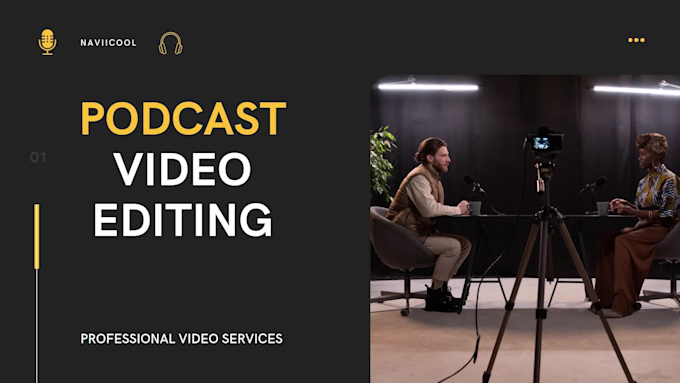
Podcast video editing
- Multi-camera switching and audio clean-up
- Intro teaser and chapter markers
- Clips for social media from the same episode
If you post on YouTube, Instagram or TikTok, you already know the problem: filming is the easy part, and editing eats your week. The good news is that hiring a professional video editor who can deliver within 24 hours is now normal, affordable and fast, as long as you know what to ask for.
This guide walks you through everything: what a fast edit should include, what it costs, how to brief an editor so they get it right first time, and the red flags that waste your money.
What a good 24-hour edit includes
A fast edit should still look professional. When you compare offers, these should be included as standard, not as paid extras:
- Clean cuts: pauses, mistakes, “umms” and dead air removed so the video moves.
- Colour correction: balanced skin tones and exposure across every clip.
- Audio clean-up: voice levelled, background hiss and room echo reduced.
- Captions or motion text where they help, especially for Reels, TikTok and Shorts.
- Music and sound effects that are properly licensed for your use.
- The right export: correct size, frame rate and format for each platform (16:9 for YouTube, 9:16 for Reels and Shorts).
Nice extras that many editors offer: thumbnails, intro animations, b-roll and stock footage, zoom-ins on key moments, and SEO-friendly titles.
Which type of video are you editing?
Different videos need different skills. Hire someone who already edits your kind of content: it is the single best predictor of a good result.
YouTube videos
YouTube edits are all about retention: keeping viewers watching. Look for editors who show jump cuts, zooms, on-screen text, b-roll and sound effects in their samples. Ask whether they can deliver a matching thumbnail too.
Reels, TikTok and YouTube Shorts
Short-form editing is a different craft. The first two seconds decide everything, so a good short-form editor adds a strong hook, bold captions, fast pacing and trending-style transitions. Many offer packs: one long video cut into 5–10 clips.
Podcasts
Video podcasts need multi-camera switching, clean audio and consistent levels between speakers. The best podcast editors also cut short clips from each episode for social media, so one recording becomes a week of content.
Ads and promo videos
Ads need tight scripts, punchy pacing and a clear call to action, often in several sizes (square, vertical and widescreen). Expect to pay more, and allow an extra day if you need several versions to test.
Basic, standard or premium: which package?
Most editors sell three packages. Here’s what usually separates them:
| Package | Usually includes | Best for |
|---|---|---|
| Basic | Short video, simple cuts, music, 1 revision | Quick social clips, simple talking-head videos |
| Standard | Longer video, captions, colour and audio fixes, 2–3 revisions | Weekly YouTube videos, podcasts |
| Premium | Motion graphics, b-roll, sound design, thumbnail, more revisions | Ads, launches, channel trailers |
24-hour delivery is usually an “extra fast” add-on to whichever package you pick. Always check the final total before you pay.
How to brief an editor (copy this)
Most slow or disappointing edits come from unclear briefs, not bad editors. Send this with your order:
Video: 10-minute YouTube talking-head video about [topic]
Platform and size: YouTube, 16:9, 1080p (plus 3 vertical Shorts if included)
Style: fast-paced, jump cuts, zooms on key points, captions for key phrases
Reference: [link to a video whose style you like]
Files: [shared folder link]: raw clips, logo, fonts, music (or use licensed music)
Must keep: intro at 0:00–0:20, sponsor mention at 4:10
Deadline: first version within 24 hours
How to choose the right editor
- Watch their samples first. Look for videos in your style (talking head, gaming, podcast, ads), not just a flashy showreel.
- Read the newest reviews. Recent reviews tell you more about speed and communication than the overall rating.
- Check the delivery time on the exact package you are buying; 24-hour delivery is often an add-on.
- Count the revisions. Two revisions is a good minimum for a first order.
- Send a short message before ordering. A quick, clear reply is the best sign they will hit your deadline.
- Start with one video. Test the editor on a single order before you commit to a monthly package.
What happens in a 24-hour order
- Hour 0: you place the order and send the brief and files in one message.
- Hours 1–2: the editor checks the files and asks any questions. Reply fast; every hour you wait comes off their editing time.
- Hours 2–20: editing, captions, colour and audio.
- Within 24 hours: first version delivered.
- Next 1–2 days: you request changes; most editors return revisions within 24 hours too.
Red flags to avoid
- No samples, or samples that look like stock templates.
- Prices far below everyone else’s with “unlimited” revisions.
- Asking to move the conversation or payment off the platform.
- Vague answers about music licensing.
- Promising very long, complex videos (an hour or more with motion graphics) in 24 hours.
After delivery: getting revisions right
Give all your feedback in one list with timestamps, for example “2:14 cut the pause”, “5:30 add caption”. One clear list gets you a better second version than five separate messages. If you’re happy, leave an honest review; good editors remember the clients who make their work easy, and many give returning clients priority.
Once you’ve found an editor you like, you can turn one-off orders into a weekly routine and get your evenings back.
Make the most of every video
- Give your channel a professional look. A clean logo makes your thumbnails, intro and watermark look consistent. See our guide to hiring a designer for a modern minimalist logo.
- Turn videos into blog posts. Each video can become an article that brings in Google traffic for years. Here’s how to hire an SEO article and blog post writer.
- Explore more video services like animation, explainers and short-form ads in our Video & Animation hiring guides.
FAQs
Can a video really be edited in 24 hours?
Yes, for most videos up to about 15 minutes. Long podcasts, heavy motion graphics or colour-critical work like weddings usually need 2–3 days.
What should I send the editor?
All raw clips in one shared folder, a short brief (style, length, platform), one reference video you like, your logo and fonts, and any music you want used.
Do revisions count towards the 24 hours?
Usually not. The 24 hours covers the first version. Check how many revisions are included and how quickly they come back before you order.
How much does fast video editing cost?
Simple short clips sit at the budget end, YouTube and podcast edits in the middle, and ads or wedding films at the premium end. 24-hour delivery is often a small paid extra on top of the package price.
Who owns the edited video?
On most freelance marketplaces you own the final delivered files once the order is complete. Ask about music licences: stock music must be licensed for your use, especially on monetised YouTube channels and ads.
Is it safe to share my raw footage?
Share through a link you control (Google Drive, Dropbox or WeTransfer), keep the order and all messages on the platform, and never pay outside it.